
- Home
- Tips & Guides
- How to spot a scam email before you click
How to spot a scam email before you click
The four things nearly every fake invoice and “your account is suspended” email has in common — and the 10-second check that catches most of them.
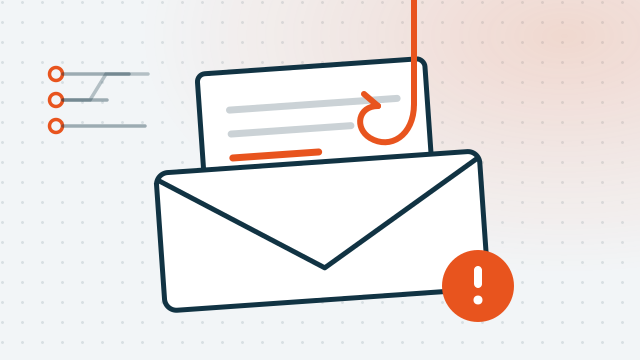
Almost every scam email that lands in an Australian inbox is a variation on the same handful of tricks. Once you know what they are, you can usually tell in about ten seconds — without needing to understand anything technical.
1. Check who it's actually from
The name shown at the top of an email is just a label. Anyone can type anything there. The part that matters is the actual address, and on most phones you have to tap the sender's name to see it.
When you can see it, read it from the right-hand end backwards. The bit immediately before the first single slash is the real domain:
billing@auspost.com.au— the domain isauspost.com.au. Plausible.billing@auspost.delivery-track.net— the domain isdelivery-track.net. Not Australia Post, no matter what the front of it says.
Scammers rely on you reading left to right and stopping as soon as you see a name you recognise.
2. The four tells
You rarely need all four. Two is usually enough to delete it.
- Urgency with a deadline. "Your account will be suspended in 24 hours." Real organisations give you weeks, and they don't threaten you in the first line.
- A generic greeting. "Dear Customer", "Dear User", or your email address used as your name. A company you actually have an account with knows your name.
- An unexpected attachment. Particularly a PDF or a ZIP for an invoice you weren't expecting. If you didn't order it, don't open it.
- A link that doesn't match the words. The text says one thing; the link goes somewhere else. That's the next section.
The one that catches careful people: a reply that appears inside a genuine email thread you were already part of. If someone's mailbox has been compromised, the scam arrives with real history above it. Treat a sudden change of bank details in an existing thread as a red flag every single time, and confirm it by phone on a number you already had.
3. How to check a link without clicking it
On a computer: hover the mouse over the link without clicking. The real destination appears in the bottom-left corner of the window.
On a phone: press and hold the link. A preview appears showing the full address. Then choose cancel.
Read that address the same way as the sender's: find the domain just before the first single slash. If it isn't the organisation's real website, the email is fake — regardless of how convincing the logo is.
Better still: don't use the link at all. Open your browser and go to the site the way you normally would, or use the organisation's app. If there really is a problem with your account, it will be waiting for you there.
4. The three that catch Australians most
- Fake myGov or ATO messages. Usually promising a refund, or threatening legal action. The ATO will never send you a link to log in, and never asks for payment in gift cards.
- Parcel and toll notices. "Your parcel is held, pay a $2.99 redelivery fee." The tiny amount is the point — it feels too small to be a scam. They're after the card details, not the $2.99.
- Invoices from a business you deal with. Often a real invoice with the bank account changed. Ring the business on the number you already have — not the one on the invoice.
If you want to check whether something's a known scam, Scamwatch keeps a current list at scamwatch.gov.au.
5. What to do if you already clicked
Don't panic, and don't ignore it either. In order:
- If you entered a password, change it — on that account, and anywhere else you used the same one.
- If you entered card details, ring your bank and have the card cancelled. Same day.
- If you downloaded and opened something, disconnect the computer from the internet and get it looked at before you use it for anything else.
- Turn on two-factor authentication on your email account first. Email is the master key — whoever controls it can reset everything else.
Clicking a link and immediately closing the page is usually survivable. Entering details is the part that costs money.
6. Two settings that make it much harder
Two-factor authentication on your email, your bank and your myGov account. It means a stolen password on its own isn't enough. It's the single highest-value ten minutes you can spend.
A password manager, so every account has a different password and you don't have to remember any of them. It has a useful side effect: a password manager won't auto-fill your details on a fake site, because the address doesn't match. It notices things you might not.
Both are free, and both are things we're happy to set up with you and explain properly — on-site across Brisbane, or remotely anywhere in Australia.
Read next: how to manage your passwords without losing your mind
More guides
The 20-minute backup that saves your photos
What to back up, where to put it, and how to check it's actually working — because a backup you've never tested isn't a backup.
Read the guide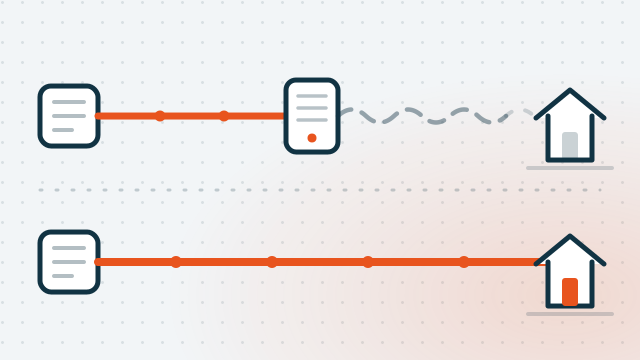
The free fibre upgrade most Brisbane homes haven't claimed
The September 2025 nbn speed jump only reached fibre and cable. How to find out what you're actually on, and how to get fibre run to your door for nothing.
Read the guideRelated questions
Should I reply to a scam email to tell them to stop?
Can just opening an email infect my computer?
Can you check whether my computer has been compromised?

Rather not deal with it yourself?
Call and describe what's going on — we'll tell you honestly whether it needs a visit or can be sorted remotely today.